



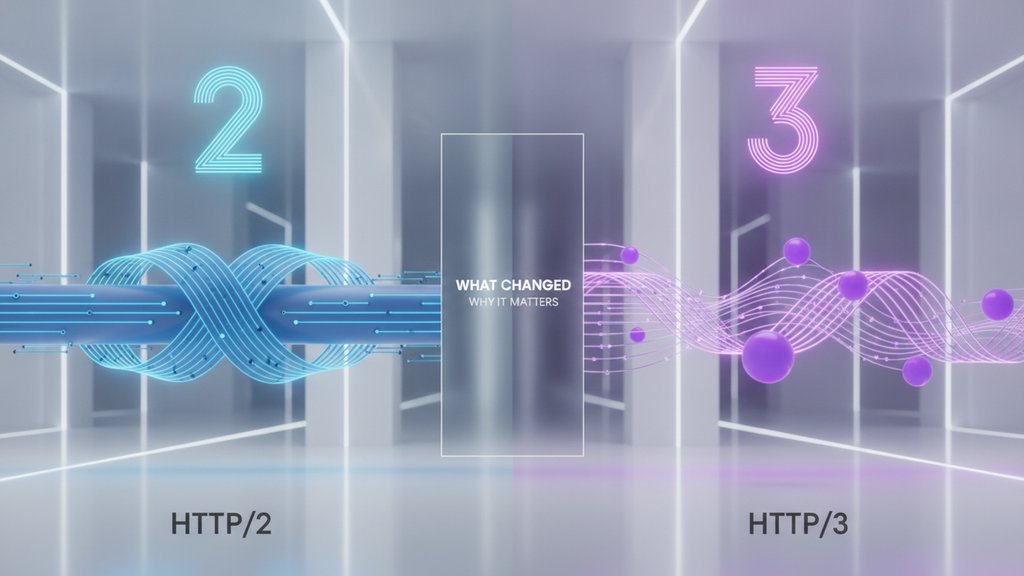
HTTP/2 and HTTP/3 are both modern versions of the protocol your browser uses to load websites, but the biggest difference is what they run on top of: HTTP/2 uses TCP, while HTTP/3 switched to a brand-new transport called QUIC that runs over UDP. That single change fixes a long-standing performance problem in HTTP/2 called head-of-line blocking, which is why HTTP/3 loads faster on shaky connections, mobile networks, and anywhere packet loss happens.
Content Table
Quick comparison at a glance
Here is how the two versions stack up on the details that actually change how your site behaves.
| Feature | HTTP/2 | HTTP/3 |
|---|---|---|
| Transport protocol | TCP | QUIC over UDP |
| Released | 2015 (RFC 7540) | 2022 (RFC 9114) |
| Encryption | Optional in spec, TLS required by browsers | Built in, always encrypted |
| Head-of-line blocking | At the TCP layer | Eliminated per stream |
| Connection setup | TCP + TLS handshake | Single combined handshake |
| Connection migration | No | Yes (survives network changes) |
| Header compression | HPACK | QPACK |
| Setup round trips | 2 | 1 |
What HTTP/2 fixed and where it fell short
To understand why HTTP/3 exists, you have to know what HTTP/2 was solving. Before HTTP/2, the old HTTP/1.1 protocol could only handle one request at a time per connection. Loading a page with 50 images, scripts, and stylesheets meant opening multiple connections and waiting in line for each file.
HTTP/2 introduced multiplexing: many requests and responses share one connection at the same time. It also added:
- Binary framing instead of plain text, so machines parse it faster and with fewer errors.
- Header compression (HPACK), which shrinks the repetitive headers sent with every request.
- Server push, letting a server send files before the browser asks (later deprecated because it was rarely used well).
The catch is that HTTP/2 still runs on TCP, and TCP delivers data in strict order. If one packet gets lost, TCP holds back every other stream until that packet is re-sent, even streams that had nothing to do with the missing data. This is head-of-line blocking at the transport layer, and it is the exact problem HTTP/3 was built to kill.
HTTP/3 and the QUIC protocol
HTTP/3 keeps the good parts of HTTP/2 (multiplexing, header compression, binary framing) but moves everything onto QUIC , a transport protocol that Google originally designed and the IETF later standardized. QUIC runs over UDP instead of TCP, and that choice unlocks the whole reason HTTP/3 matters. HTTP/3 itself is defined in RFC 9114.
UDP does no ordering or retransmission of its own, so QUIC tracks each stream itself. A lost packet only stalls the single stream it belonged to, not all of them. Other downloads keep flowing while the missing piece gets re-sent, so packet loss recovery no longer causes the cross-stream blocking that TCP imposes.
QUIC also brings a few things TCP simply cannot:
- Faster handshakes: QUIC folds the transport and TLS 1.3 handshakes into one round trip. Returning visitors can even get 0-RTT , sending data on the very first packet. 0-RTT data can be replayed by an attacker, so servers should only accept it for safe requests like GET.
- Always encrypted: encryption is baked into the protocol. There is no unencrypted HTTP/3.
- Connection migration: switch from Wi-Fi to cellular mid-download and the connection survives, because QUIC identifies connections by an ID rather than by IP address and port.
The tradeoff is that reinventing a reliable protocol on UDP is a lot of work, so QUIC handles ordering, congestion control, and retransmission in software rather than leaning on the operating system's TCP stack.
HTTP/2 vs HTTP/3 performance
The HTTP/2 vs HTTP/3 performance gap depends heavily on network conditions. On a fast, stable fiber connection the difference is small. The moment you add latency or packet loss, HTTP/3 pulls ahead.
- Reduced latency on setup: one combined handshake instead of separate TCP and TLS round trips shaves real milliseconds off the first connection, and 0-RTT resumption helps repeat visits.
- Mobile and unstable networks: this is where HTTP/3 shines. Independent streams mean one dropped packet no longer freezes the whole page load.
- Roaming users: connection migration keeps video streams and large downloads alive when a device changes networks, something TCP forces to restart.
Alt-Svc header or HTTPS DNS record tells them it is available, and fall back to HTTP/2 if the attempt fails.
Once you are on any of these versions, keeping asset delivery efficient still matters. Trimming file sizes with a CSS minifier or a JavaScript minifier reduces how much data crosses the wire in the first place, which helps on every protocol version. Cache strategy plays a role too, so understanding cache busting pairs well with protocol upgrades.
Should you enable HTTP/3
For most sites, yes. Many CDNs, including Cloudflare, offer HTTP/3 with one switch. Modern browsers (Chrome, Edge, Firefox, Safari) all support it. Here is the practical checklist:
- Your server or CDN must support QUIC/HTTP/3. Many enable it with a single toggle.
- You need valid TLS. Since HTTP/3 is always encrypted, a working certificate is required. If yours is close to expiring, review how to renew an SSL certificate first.
-
UDP must be reachable.
The
Alt-Svcheader tells browsers HTTP/3 is available; they upgrade after the first HTTP/2 or HTTP/1.1 request.
How you turn it on depends on your server. Apache has no native HTTP/3, so Apache sites need a CDN or a proxy in front. Caddy 2.6+ enables HTTP/3 by default. nginx 1.25+ needs a QUIC listener on port 443 in the server block plus an
Alt-Svc
header advertising HTTP/3. Whatever the server, UDP port 443 must be open.
Enabling it costs little, but not nothing: QUIC uses more server CPU than TCP, needs UDP port 443 open, and its traffic is invisible to some inspection tools. Browsers fall back gracefully, so worst case visitors stay on HTTP/2.

Shrink your JavaScript before it hits the wire
Whether you run HTTP/2 or HTTP/3, smaller files load faster. Our free JavaScript minifier strips whitespace and dead code so less data travels over every connection.
Minify your JavaScript →
Not always. On fast, stable connections the difference is tiny. HTTP/3 helps most on mobile networks, high-latency links, and connections with packet loss, where its independent streams and faster handshake reduce delays. On networks that block UDP, browsers fall back to HTTP/2, so there is no gain there.
TCP enforces strict in-order delivery, so one lost packet stalls every stream (head-of-line blocking). UDP has no such rule, letting QUIC manage each stream independently. QUIC then rebuilds reliability, ordering, and congestion control on top of UDP, keeping TCP's guarantees without its blocking problem.
Usually not. HTTP/3 is a transport change handled by your server, CDN, and the browser. Your HTML, CSS, JavaScript, and API calls stay the same. You mostly just enable it at the server or CDN level and make sure TLS and UDP are working.
QUIC is a transport protocol that runs over UDP and powers HTTP/3. It combines the connection and encryption handshake into one step, handles multiple independent streams, and can survive network changes. Think of it as a faster, encrypted replacement for the TCP plus TLS combination used by HTTP/2.
Yes. Most servers offer both. A browser typically connects over HTTP/2 first, then sees the
Alt-Svc
header advertising HTTP/3 and upgrades on later requests. If UDP is blocked, it stays on HTTP/2, so supporting both gives you the best coverage.
Open DevTools, go to the Network tab, enable the Protocol column and look for h3; h2 means HTTP/2. In a terminal,
curl -sI https://your-domain | grep -i alt-svc
shows whether the server advertises HTTP/3, and
curl --http3 -I https://your-domain
connects over HTTP/3 if your curl build supports it. Browsers switch only after they have seen the Alt-Svc header, so the first load can still show h2.